

Zero-Shot Object Detection with Crowdsourced Images#
Object detection is a powerful way to find patterns in images. Many participatory science projects, such as NASA GLOBE and iNaturalist, involve pictures. We can use open object detection models to identify features, such as animals and plants, in these images.
# Install required libraries
!pip install -q transformers pillow matplotlib torch

import requests
from PIL import Image, ImageDraw, ImageFont
import matplotlib.pyplot as plt
import torch
from transformers import pipeline

print("Libraries imported")
# Load the Zero-Shot Object Detection Model
# OWL-ViT is a vision transformer trained for open-vocabulary detection
print("Loading OWL-ViT model... (this may take a moment)")
checkpoint = "google/owlvit-base-patch32"
detector = pipeline(model=checkpoint, task="zero-shot-object-detection")

def load_image(url):
    """Load an image from a URL"""
    try:
        image = Image.open(requests.get(url, stream=True).raw)
        return image
    except Exception as e:
        print(f"Error loading image: {e}")
        return None

def draw_detections(image, predictions, threshold=0.1):
    """
    Draw bounding boxes on the image for detected objects

    Args:
        image: PIL Image
        predictions: List of detection dictionaries
        threshold: Minimum confidence score to display (0-1)
    """
    # Create a copy to draw on
    draw_image = image.copy()
    draw = ImageDraw.Draw(draw_image)

    # Try to load a font (use default if unavailable)
    try:
        font = ImageFont.truetype("/usr/share/fonts/truetype/dejavu/DejaVuSans-Bold.ttf", 16)
    except:
        font = ImageFont.load_default()

    # Filter predictions by threshold
    filtered_predictions = [p for p in predictions if p['score'] >= threshold]

    # Draw each detection
    for pred in filtered_predictions:
        box = pred['box']
        score = pred['score']
        label = pred['label']

        # Extract coordinates
        xmin, ymin, xmax, ymax = box['xmin'], box['ymin'], box['xmax'], box['ymax']

        # Draw bounding box
        draw.rectangle([xmin, ymin, xmax, ymax], outline="red", width=3)

        # Draw label with confidence score
        text = f"{label}: {score:.2f}"

        # Draw text background
        text_bbox = draw.textbbox((xmin, ymin), text, font=font)
        draw.rectangle(text_bbox, fill="red")
        draw.text((xmin, ymin), text, fill="white", font=font)

    return draw_image, len(filtered_predictions)

def run_detection(candidates, image_urls, threshold=0.2):
  for idx, url in enumerate(image_urls, 1):
      print(f"\nProcessing Image {idx}/{len(image_urls)}")
      print(f"URL: {url}")

      # Load the image
      image = load_image(url)
      if image is None:
          continue
      print(f"Image size: {image.size}")

      # Perform detection
      print("Detecting objects...")
      predictions = detector(image, candidate_labels=candidates)

      # Draw detections on image
      result_image, num_detections = draw_detections(image, predictions, threshold)

      # Display results
      print(f"- Found {num_detections} objects (confidence ≥ {threshold})")

      # Display the images
      fig, axes = plt.subplots(1, 2, figsize=(16, 8))

      # Original image
      axes[0].imshow(image)
      axes[0].set_title(f"Original Image", fontsize=14, fontweight='bold')
      axes[0].axis('off')

      # Image with detections
      axes[1].imshow(result_image)
      axes[1].set_title(f"Detections (threshold={threshold})", fontsize=14, fontweight='bold')
      axes[1].axis('off')

      plt.tight_layout()
      plt.show()

      print("-" * 50)

print("Model loaded")
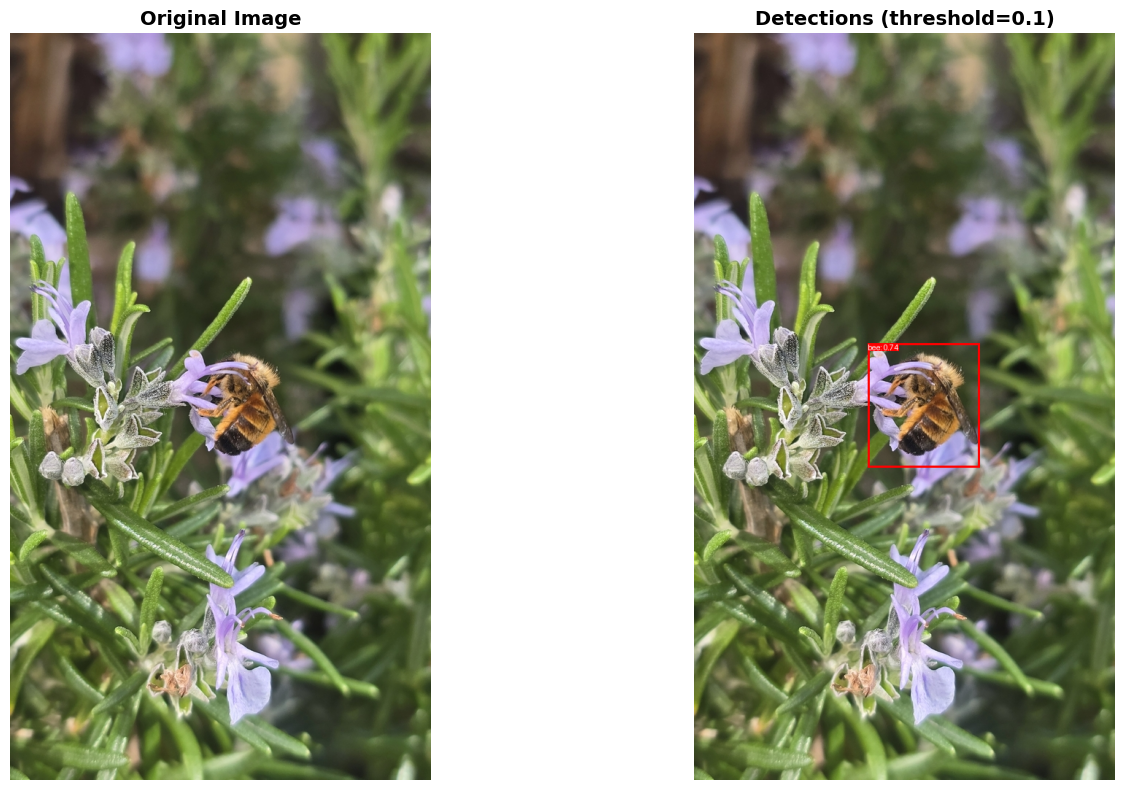
Let’s test the model on some pictures. First, we will load an image of a bee from iNaturalist, a platform where anyone can record photos and observations from nature. Explore more photos from iNaturalist here.
To get the URL, right click an image and select Copy image address.
# Candidate objects to detect (text descriptions)
candidates = [
    "bee"
]

# Image URLs to analyze (can add multiple)
image_urls = [
    "https://inaturalist-open-data.s3.amazonaws.com/photos/639462446/large.jpg",
]

# Adjust this to show more/fewer detections
threshold = 0.1

# Run obeject detection
run_detection(candidates, image_urls, threshold=threshold)
Processing Image 1/1
URL: https://inaturalist-open-data.s3.amazonaws.com/photos/639462446/large.jpg
Image size: (577, 1024)
Detecting objects...
- Found 1 objects (confidence ≥ 0.1)
--------------------------------------------------
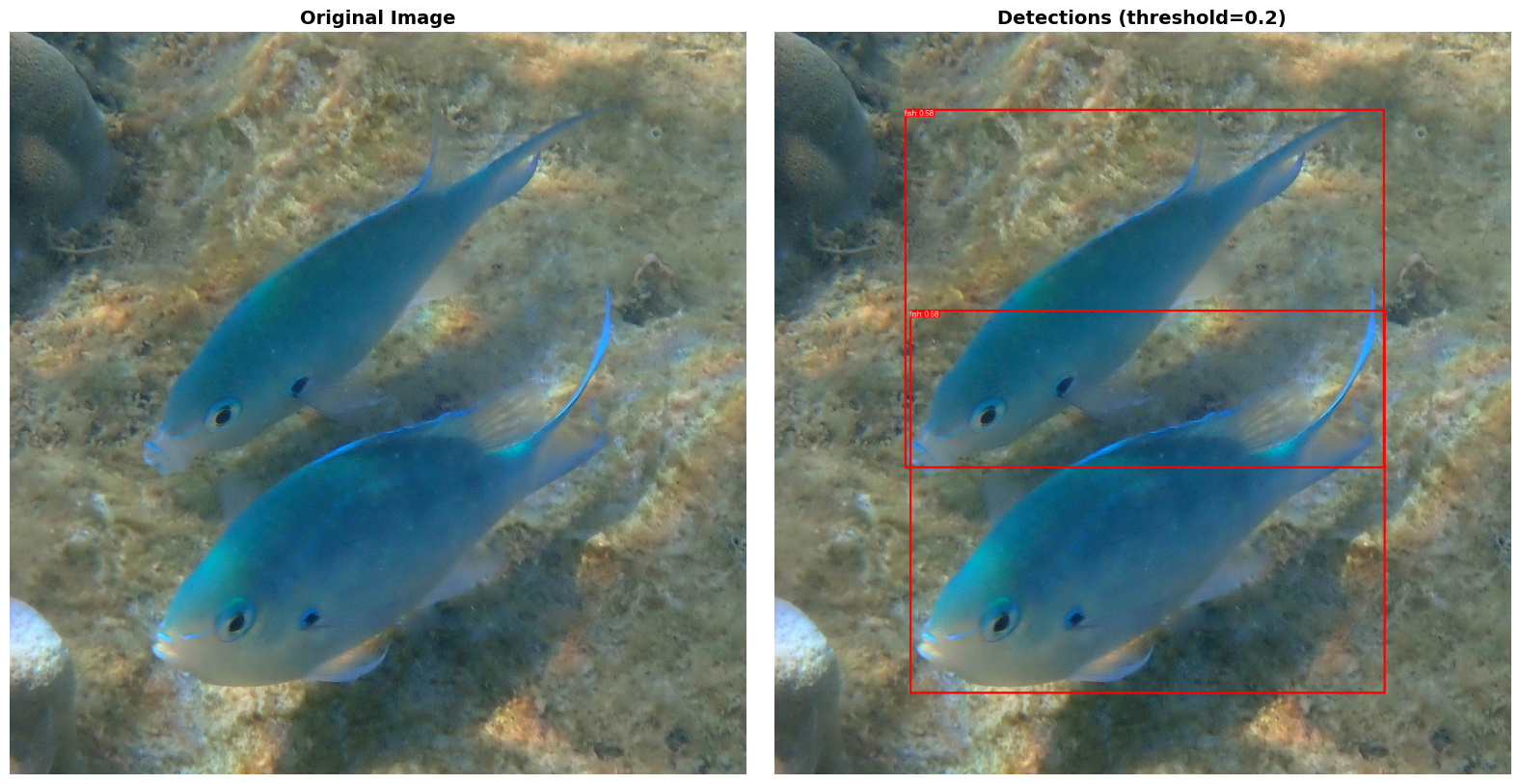
The model was able to detect this bee with 74% confidence! Let’s now try an image with multiple animals. In this case, we’ll look at images of fish.
# Candidate objects to detect (text descriptions)
candidates = [
    "fish"
]

# Image URLs to analyze (can add multiple)
image_urls = [
    "https://img.freepik.com/free-photo/koi-fish-swimming-pond_23-2152023678.jpg?semt=ais_hybrid&w=740&q=80",
    "https://images.pexels.com/photos/33855858/pexels-photo-33855858/free-photo-of-vibrant-goldfish-swimming-in-aquarium.jpeg?auto=compress&cs=tinysrgb&dpr=1&w=500",
    "https://inaturalist-open-data.s3.amazonaws.com/photos/639441608/large.jpg"
]

# Adjust this to show more/fewer detections
threshold = 0.2

# Run obeject detection
run_detection(candidates, image_urls, threshold=threshold)
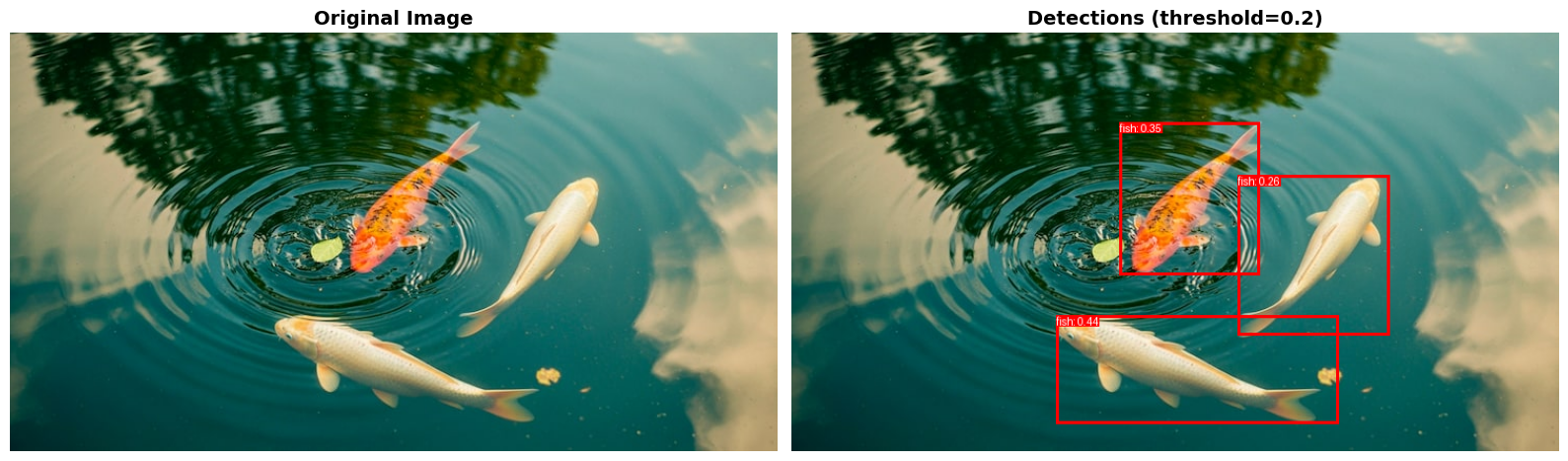
Processing Image 1/3
URL: https://img.freepik.com/free-photo/koi-fish-swimming-pond_23-2152023678.jpg?semt=ais_hybrid&w=740&q=80
Image size: (740, 404)
Detecting objects...
- Found 3 objects (confidence ≥ 0.2)
--------------------------------------------------

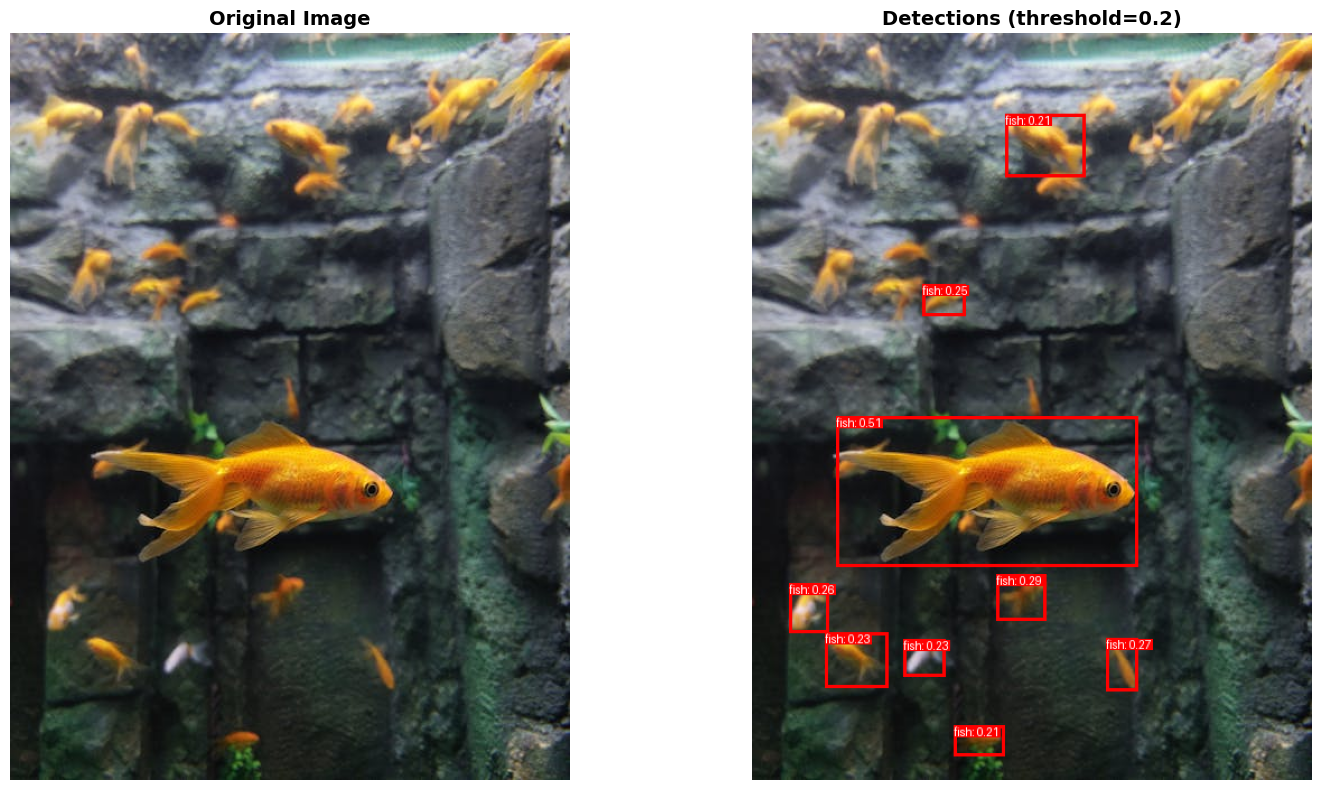
Processing Image 2/3
URL: https://images.pexels.com/photos/33855858/pexels-photo-33855858/free-photo-of-vibrant-goldfish-swimming-in-aquarium.jpeg?auto=compress&cs=tinysrgb&dpr=1&w=500
Image size: (500, 667)
Detecting objects...
- Found 9 objects (confidence ≥ 0.2)
--------------------------------------------------

Processing Image 3/3
URL: https://inaturalist-open-data.s3.amazonaws.com/photos/639441608/large.jpg
Image size: (1015, 1024)
Detecting objects...
- Found 2 objects (confidence ≥ 0.2)
--------------------------------------------------
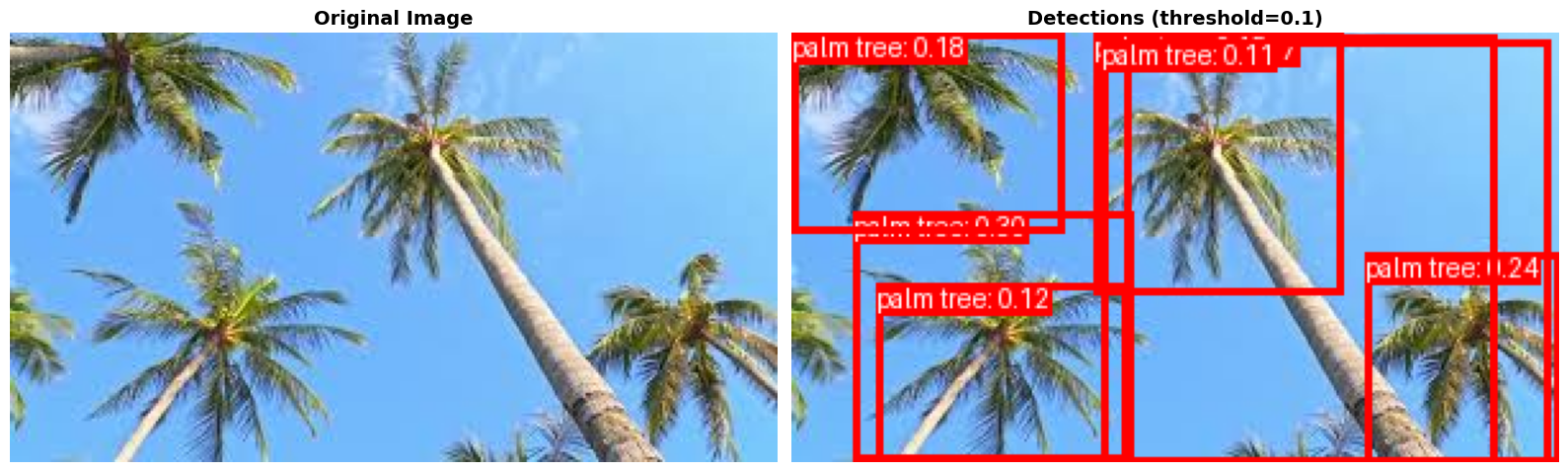
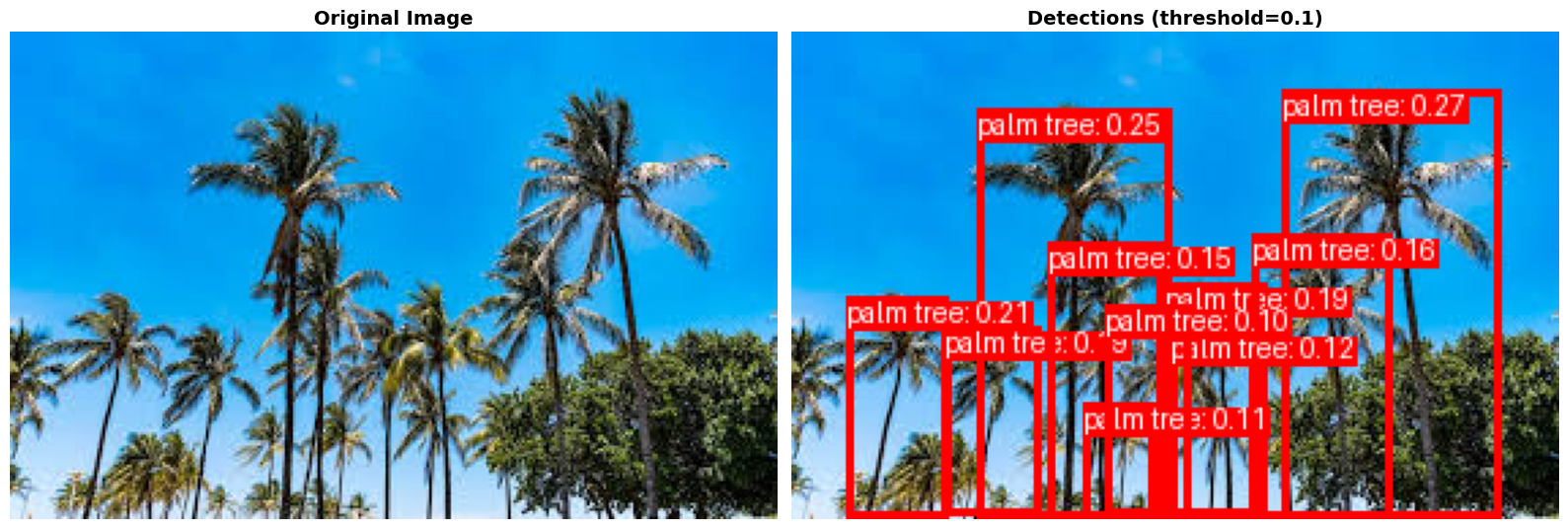
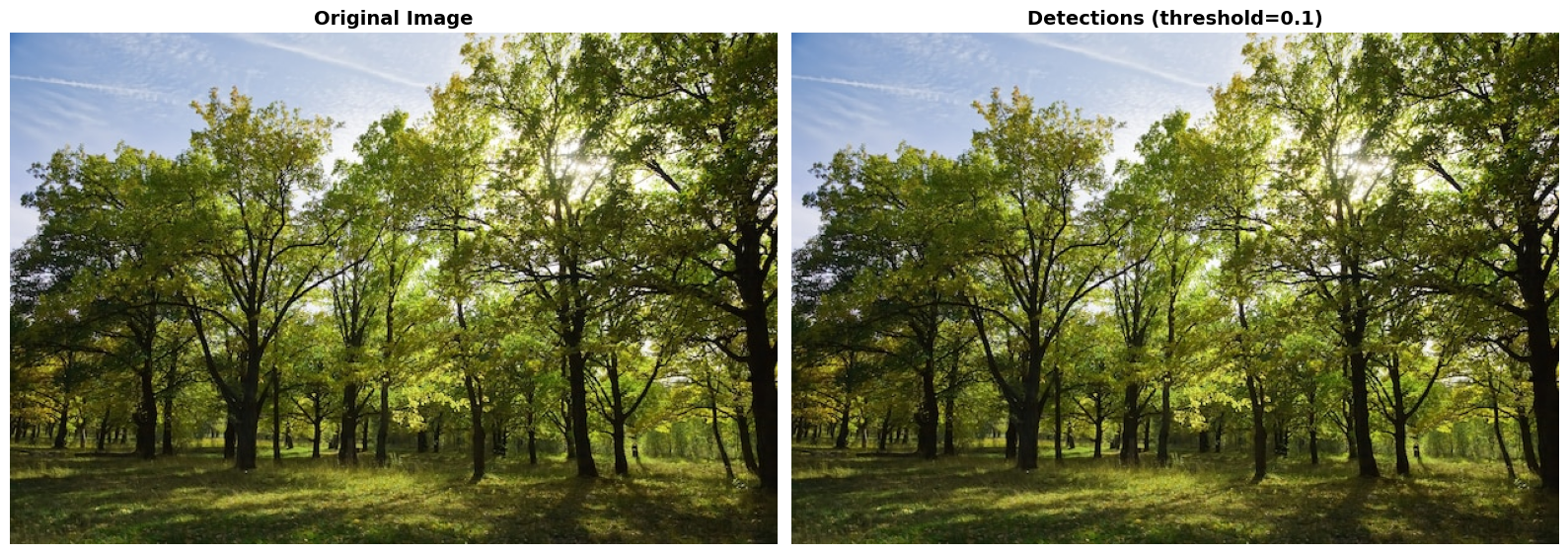
Let’s explore another example. Can we find palm trees, but exclude other types of trees?
# Candidate objects to detect (text descriptions)
candidates = [
    "palm tree"
]

# Image URLs to analyze (can add multiple)
image_urls = [
    "https://encrypted-tbn0.gstatic.com/images?q=tbn:ANd9GcTGCFHamuK-Ojb5oQ-M4wj_zV0ZrI7ysQOF2A&s",
    "https://encrypted-tbn0.gstatic.com/images?q=tbn:ANd9GcS2B5bF_UoqzH6f3QnBMtNUoUk7WfelIiSIAQ&s",
    "https://img.freepik.com/free-photo/grove-summer_1398-333.jpg"
]

# Adjust this to show more/fewer detections
threshold = 0.1
run_detection(candidates, image_urls, threshold=threshold)
Processing Image 1/3
URL: https://encrypted-tbn0.gstatic.com/images?q=tbn:ANd9GcTGCFHamuK-Ojb5oQ-M4wj_zV0ZrI7ysQOF2A&s
Image size: (300, 168)
Detecting objects...
- Found 7 objects (confidence ≥ 0.1)
--------------------------------------------------

Processing Image 2/3
URL: https://encrypted-tbn0.gstatic.com/images?q=tbn:ANd9GcS2B5bF_UoqzH6f3QnBMtNUoUk7WfelIiSIAQ&s
Image size: (282, 179)
Detecting objects...
- Found 10 objects (confidence ≥ 0.1)
--------------------------------------------------

Processing Image 3/3
URL: https://img.freepik.com/free-photo/grove-summer_1398-333.jpg
Image size: (626, 417)
Detecting objects...
- Found 0 objects (confidence ≥ 0.1)
--------------------------------------------------
To run your own example, use the following code:
# Candidate objects to detect (text descriptions)
candidates = [
    "text description"
]

# Image URLs to analyze (can add multiple)
image_urls = [
    "url-to-image",
    "url-to-image",
    # You can also upload an image by clicking on the folder icon to the left in Google Colab, uploading your file,
    # and then including the name of the file here
    "name_of_uploaded_file.png"
]

# Adjust this to show more/fewer detections
# Threshold closer to 1 = show fewer detections with greater confidence
threshold = 0.1

run_detection(candidates, image_urls, threshold=threshold)